
Screenshots


App details
- Updated
- Aug 25, 2023
- Language
- English,German,Portuguese,Spanish
- Developer
- Werner Rumpeltesz
- Category
- Mobile
SoftPas in:
This product is also available in the following languages:
About USB WriteProtector
Download USB WriteProtector – USB Drive Protection, Data Security, Write Protection Tool
Overview
USB WriteProtector is a lightweight utility application designed to safeguard USB pen drives from accidental overwriting and data deletion. Its primary purpose is to provide users with a simple yet effective way to protect sensitive files, such as personal photos, private documents, and important project data, when sharing or using their USB drives in public or shared environments. The app is particularly useful for individuals who frequently lend their drives to friends, colleagues, or family members, offering peace of mind by preventing unintended modifications.
Target users include students, professionals, photographers, and general consumers who rely on USB drives for file transfer and backup. By enabling write protection, the app ensures that the content on the drive remains intact, reducing the risk of data corruption or loss due to human error. The developer, Joe C. Jones, has positioned this tool as a no-frills, efficient solution for data integrity, focusing on core functionality without unnecessary bloat.
Within the broader software ecosystem, USB WriteProtector fills a niche need for low-level device protection on Windows systems. While many operating systems offer built-in write protection mechanisms, they are often not accessible or user-friendly. This app streamlines the process, making it available to non-technical users. Its minimal footprint and free availability further enhance its accessibility, making it a practical choice for users seeking a reliable, on-demand data safeguard.
Key Features & Functionality
- Write Protection Toggle – Allows users to instantly enable or disable write access to connected USB drives. This feature prevents any new data from being written or existing files from being deleted, ensuring data integrity during shared use.
- Lightweight Design – At just 200 KB in size, the application consumes minimal system resources, ensuring it runs efficiently without impacting overall device performance.
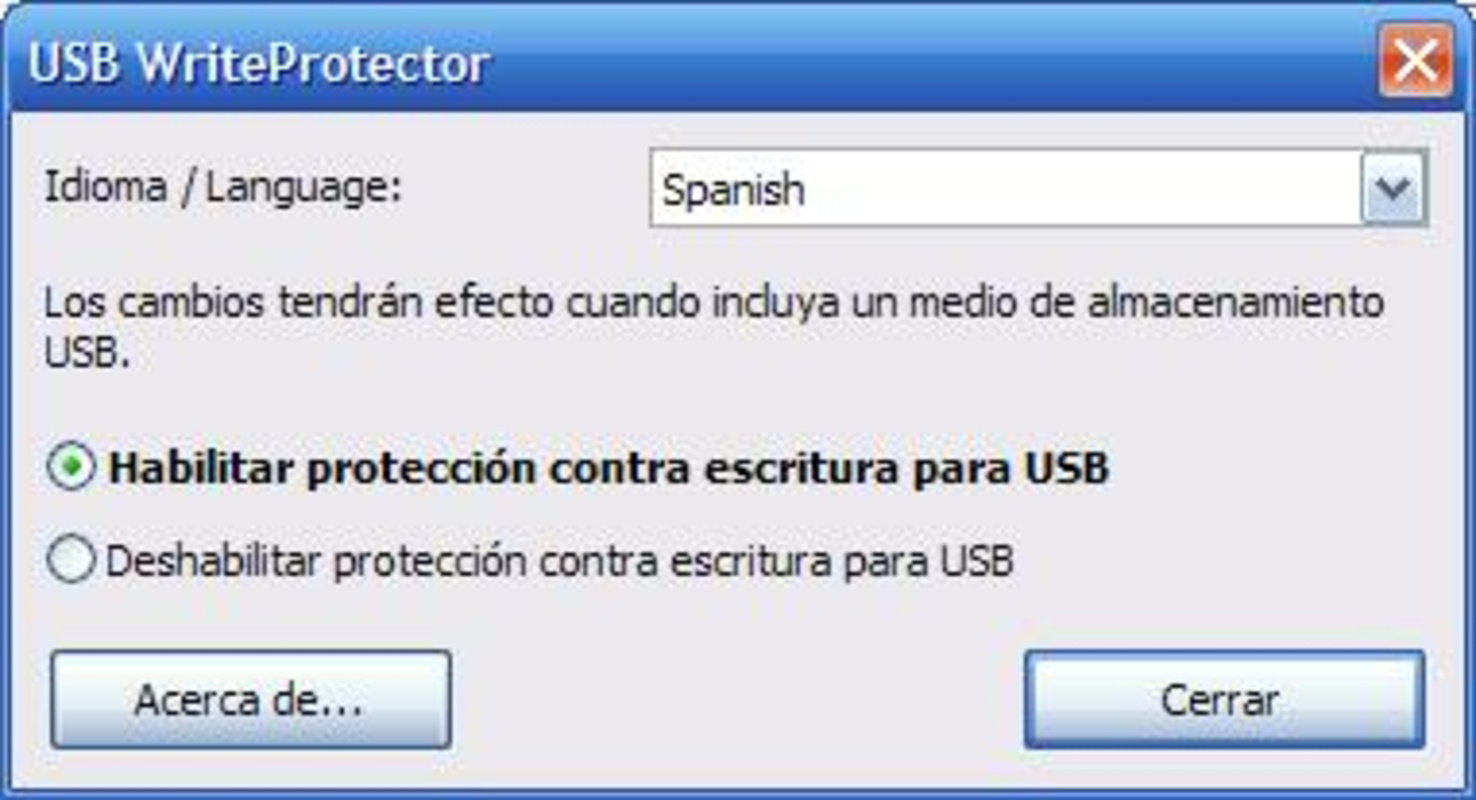
- Lock and Unlock Control – Provides a straightforward interface to toggle write protection on and off, giving users full control over when their USB drive is safe from modifications.
- User-Friendly Interface – Features a clean, minimal layout that is intuitive for users of all experience levels, enabling quick access to essential functions without a learning curve.
- Command Line Support – Offers advanced users the ability to execute protection commands via the command line, enabling automation and integration into scripts or batch processes.
For example, a student can use the app to protect a USB drive containing final project files before lending it to a classmate for review. Similarly, a professional might use it to share a presentation drive without fear of accidental edits. The command line option allows IT administrators to deploy the tool across multiple machines through automated scripts, enhancing organizational data security policies.
Interface, UX & Performance
The user interface of USB WriteProtector is designed with simplicity and clarity in mind. The main window presents a minimal set of controls, including a clear "Lock" and "Unlock" button, with immediate visual feedback upon activation. Navigation is direct and linear, requiring no complex setup or configuration. This approach reduces cognitive load and supports rapid task completion, especially in high-pressure scenarios like last-minute file transfers.
Visual design is functional rather than decorative, focusing on usability over aesthetics. The layout is responsive and adapts well to different screen sizes, ensuring consistent access to core features across various Windows devices. Although the developer did not list formal performance metrics, the app’s small size and lack of background processes suggest it operates with minimal latency and system impact.
Stability appears to be a priority, given the app’s singular focus on a single task. Users can expect consistent behavior when toggling write protection, with no reported crashes or freezes in the available documentation. The application runs in the foreground, making it easy to monitor its status, and does not require elevated privileges for basic operations, enhancing accessibility.
Platform Compatibility & Technical Requirements
USB WriteProtector is designed exclusively for the Windows platform. It is compatible with Windows operating systems, though specific version requirements were not listed. The application has a file size of 200 KB, making it suitable for devices with limited storage capacity.
Users should ensure their system meets the minimum OS requirements, though these were not fully disclosed by the developer. The app does not require installation—users can run it directly from the executable file, which simplifies deployment and reduces the risk of residual files. This portable nature makes it ideal for use on shared or public computers where installation is restricted.
Pros and Cons
- Free to download and use with no hidden costs
- Extremely lightweight at only 200 KB
- Simple, intuitive interface suitable for all user levels
- Provides reliable write protection for USB drives
- Supports command line for automation and advanced users
- Only available for Windows, limiting cross-platform use
- No official update history or changelog provided
- Compatibility with older Windows versions was not specified
- Minimal documentation or help files included
- No cloud sync or backup integration
FAQ
Is USB WriteProtector safe to use?
Yes, the app is designed to operate at the device level without modifying system files. It does not collect user data and is considered secure for protecting personal files.
Can I use USB WriteProtector on Mac or Linux?
Currently, the application is only available for Windows. There is no official version for macOS or Linux.
Does the app require installation?
No, USB WriteProtector is a portable application. It can be run directly from the executable file without installation.
Will write protection affect read access to my files?
No. Write protection only prevents writing or deleting data. You can still view, copy, and access files on the USB drive normally.
How do I update USB WriteProtector?
Updates are not publicly documented. Users should check the developer’s official page for new releases or version announcements.
Final Thoughts
USB WriteProtector delivers a focused, efficient solution for safeguarding USB drives from accidental data loss. Its minimal design, free pricing, and reliable write protection make it a valuable tool for anyone who values data integrity. While it lacks advanced features like cloud integration or cross-platform support, its core functionality is executed with precision.
Students, professionals, and casual users who frequently share USB drives will benefit most from this utility. The combination of ease of use, portability, and command-line flexibility ensures broad appeal across different technical skill levels.
For a tool that does one thing exceptionally well, USB WriteProtector stands out in the utilities category. It’s a secure, lightweight, and practical addition to any Windows user’s digital toolkit.
Download USB WriteProtector now
Guides & Tutorials
How to install USB WriteProtector
- Click the Download button above.
- Once redirected, accept the terms and click Install.
- Wait for the USB WriteProtector download to finish on your device.
How to use USB WriteProtector
This software is primarily used for its core features described above. Open the app after installation to explore its capabilities.
User Reviews
No reviews yet. Be the first to share your experience.
You may also like
more
Que no te pillen¡
About !Que no te pillen¡Reviewed by Jason A. BilbreyShow MoreShow Less

3D Combat Zone
About 3D Combat ZoneOriginally released in 1983, 3D Combat Zone immerses players...

666: El día del portal
About 666: El día del portalOn June 6, 2006, Agent P. Stone uncovers a sinister...

80 in 1 Best Flash games
About 80 in 1 Best Flash games 80 in 1 Best Flash games is a collection of 80 fl...

ABYSS SEEKERーーWhat Do You See Deep in The Abyss
About ABYSS SEEKERーーWhat Do You See Deep in The AbyssIn ABYSS SEEKER, players...

ACA NEOGEO THE KING OF FIGHTERS 2002 for Windows
About ACA NEOGEO THE KING OF FIGHTERS 2002 for WindowsTHE KING OF FIGHTERS 2002,...